Website Ideas for Financial Advisors: Calculators and Intake Forms
People researching insurance and savings want plain answers before they call anyone. How Ravi Soni's site uses plain-language guides, seven calculators and private intake forms.

People looking for insurance or savings advice usually start with questions they find awkward to ask out loud. How much life insurance do I actually need? Should I fill my TFSA or my RRSP first? What does Super Visa insurance require?
A financial professional's website can answer those before the first conversation. In our experience that does more for trust than any slogan.
The site we built for Ravi Soni
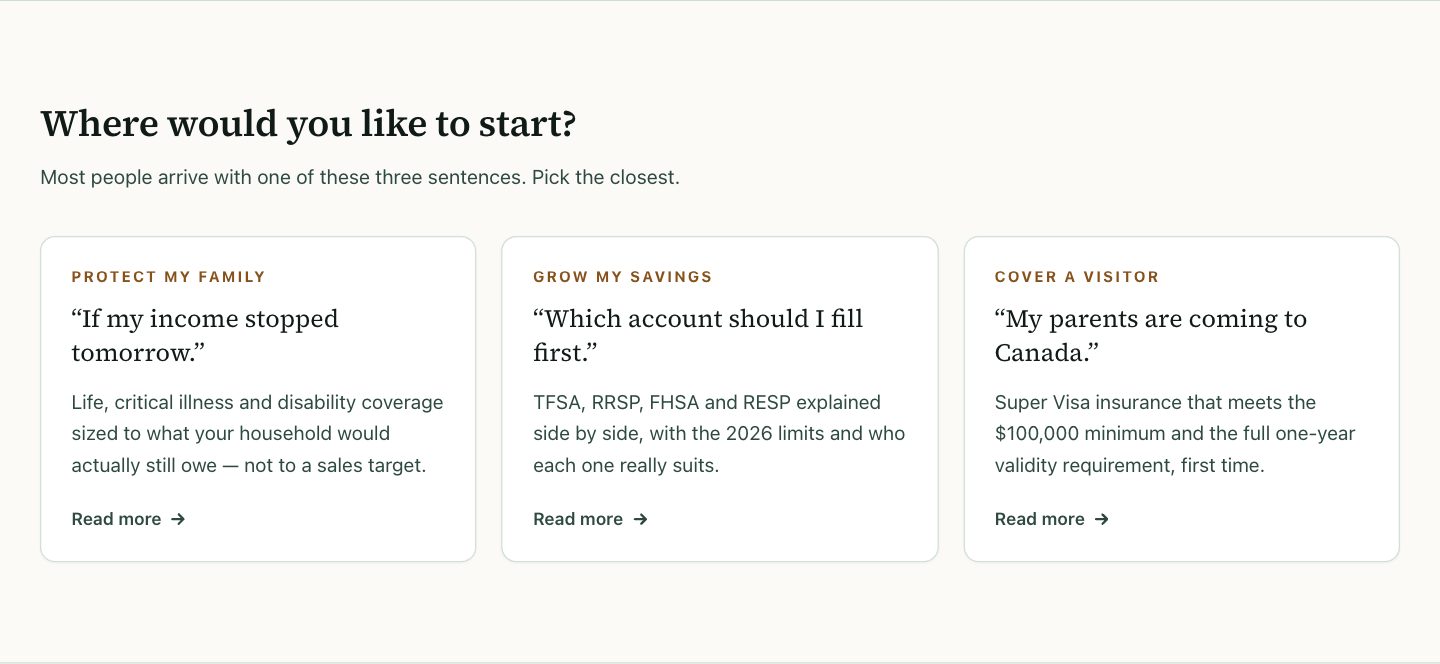
Ravi Soni is a licensed financial professional in Edmonton. We built his site around one idea: explain things plainly, then let people check their own numbers.
What's on it:
- Plain-language guides to TFSA, RRSP, FHSA and RESP, plus life insurance, critical illness and disability coverage
- Seven interactive calculators, including a coverage calculator, a TFSA room estimator and an RRSP-or-TFSA comparison
- Private pre-appointment intake forms for TFSA, RRSP, life insurance and Super Visa, so clients can get ready before they meet
- Contact in English, Gujarati or Hindi
Why calculators earn their place
A calculator turns a general article into a personal answer. Instead of reading "it depends", the visitor puts in their own numbers and sees a result. That's often the moment someone decides to book a call.
If you're an advisor wondering which ones to build, these are the questions we'd start with: how much life insurance do I need, how much TFSA room might I have (especially as a newcomer), RRSP or TFSA at my tax rate, what does starting an RESP late cost in grants, and what happens to my income if I can't work for a year.
Keep each one simple. Explain the assumptions in plain words, and make it clear the result is an estimate, not advice.
Intake forms make the first meeting better
An intake form gathers the basics (goals, accounts, timelines) before you meet. The meeting is more useful, and clients feel prepared rather than grilled.
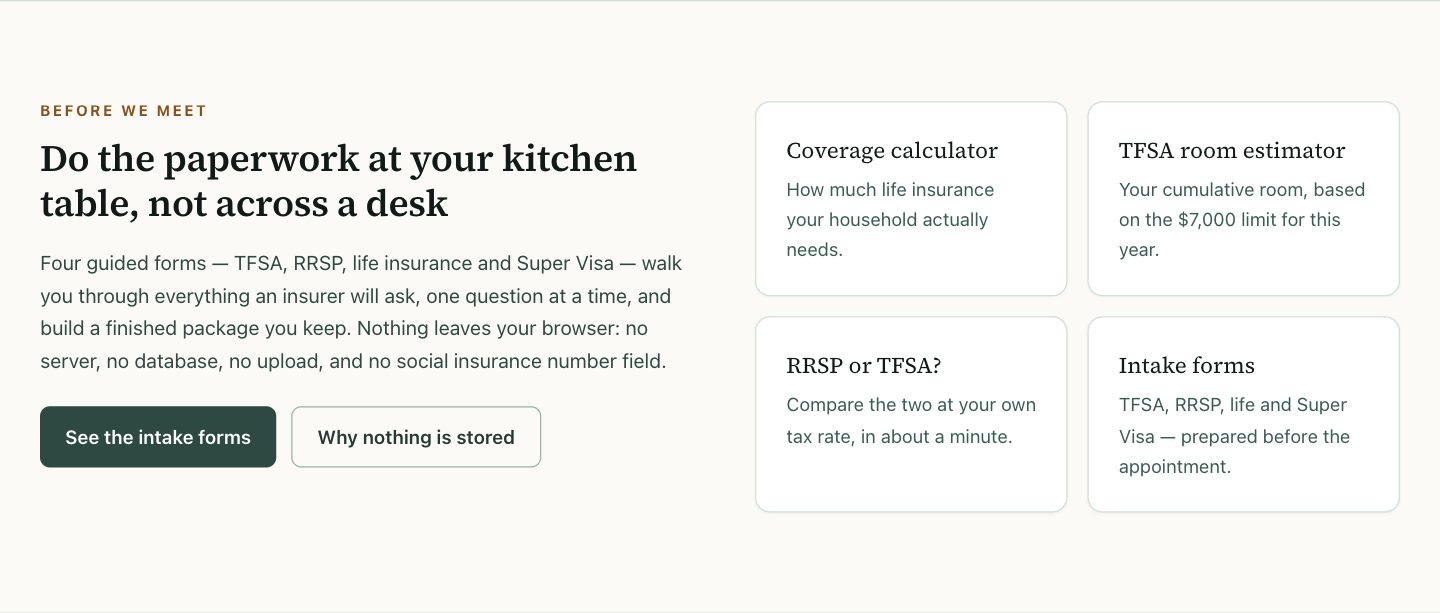
Ravi's site tells clients that nothing they type into the forms is uploaded. Whatever setup you choose, say clearly what happens to the information people enter. In finance, that reassurance matters.
Write one page per real question
The strongest pages on an advisor's site each answer one specific question: "How much life insurance do I need?", "RRSP or TFSA?", "What does Super Visa insurance require?" Those are also the things people type into Google, so every guide is another way to be found.
Date your articles and update them when rules or limits change. Old numbers damage trust quickly in this field.
Say clearly how you work
Clients want to know who they're dealing with: which provinces or territories you're licensed in, what products you can offer, which companies you represent if that's relevant, how you're paid, and what happens at a first meeting. Follow your regulator's advertising rules, and keep claims factual.
A simple structure to start from
- Home: who you help, where you're licensed, and a clear way to book a call.
- Protection: life, critical illness, disability and income protection, each with a short guide.
- Savings: TFSA, RRSP, FHSA and RESP, side by side.
- Tools: your calculators, each with a plain explanation.
- About and how you work: background, licensing, companies you represent, how you're paid.
- Contact: phone, email, a booking request and the languages you speak.
You don't need all of it on day one. Start with the pages clients ask about most and add guides over time.
If you work in more than one language, say so on every contact page. For newcomers dealing with unfamiliar financial products, talking in their first language can make all the difference.
What a site like this costs
Sites with several interactive calculators and custom forms are scoped and quoted individually. Our Custom / Advanced builds start from $1,000. For a simpler advisor site with service pages and a contact form, Multi-Page is $299 setup + $59/month ($149 setup for Black Friday, until November 30, 2026). Monthly pricing stays the same.