What a Driving School Website Needs (A Real Edmonton Example)
Students pick a driving school on their phone, usually in a few minutes. Here's what your site should show, using the site we built for Lucky Driving School in Edmonton.
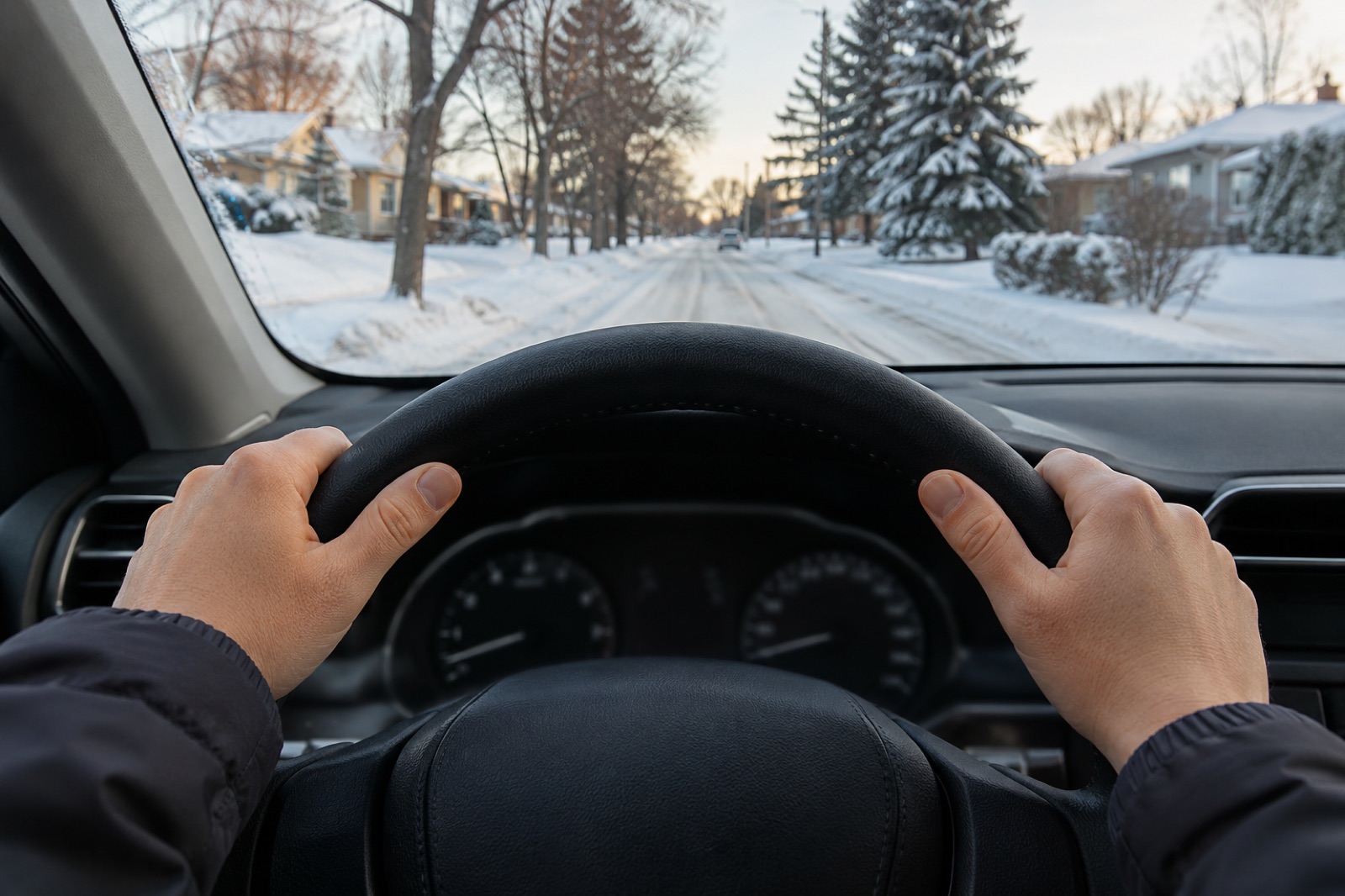
Think about how someone actually picks a driving school. They're on their phone, probably in between other things. They search, open three or four sites, and close the ones that make them work for an answer.
The questions barely change from one student to the next. How much is it? Do you teach in my language? Will you pick me up? How do I book? A site that answers those four quickly gets the message. A site that says "call for pricing" often doesn't.
The site we built for Lucky Driving School
Lucky Driving School teaches in Edmonton and Sherwood Park. When we planned their site, we didn't start with colours or fonts. We started with those four questions and made sure each one was answered without hunting.
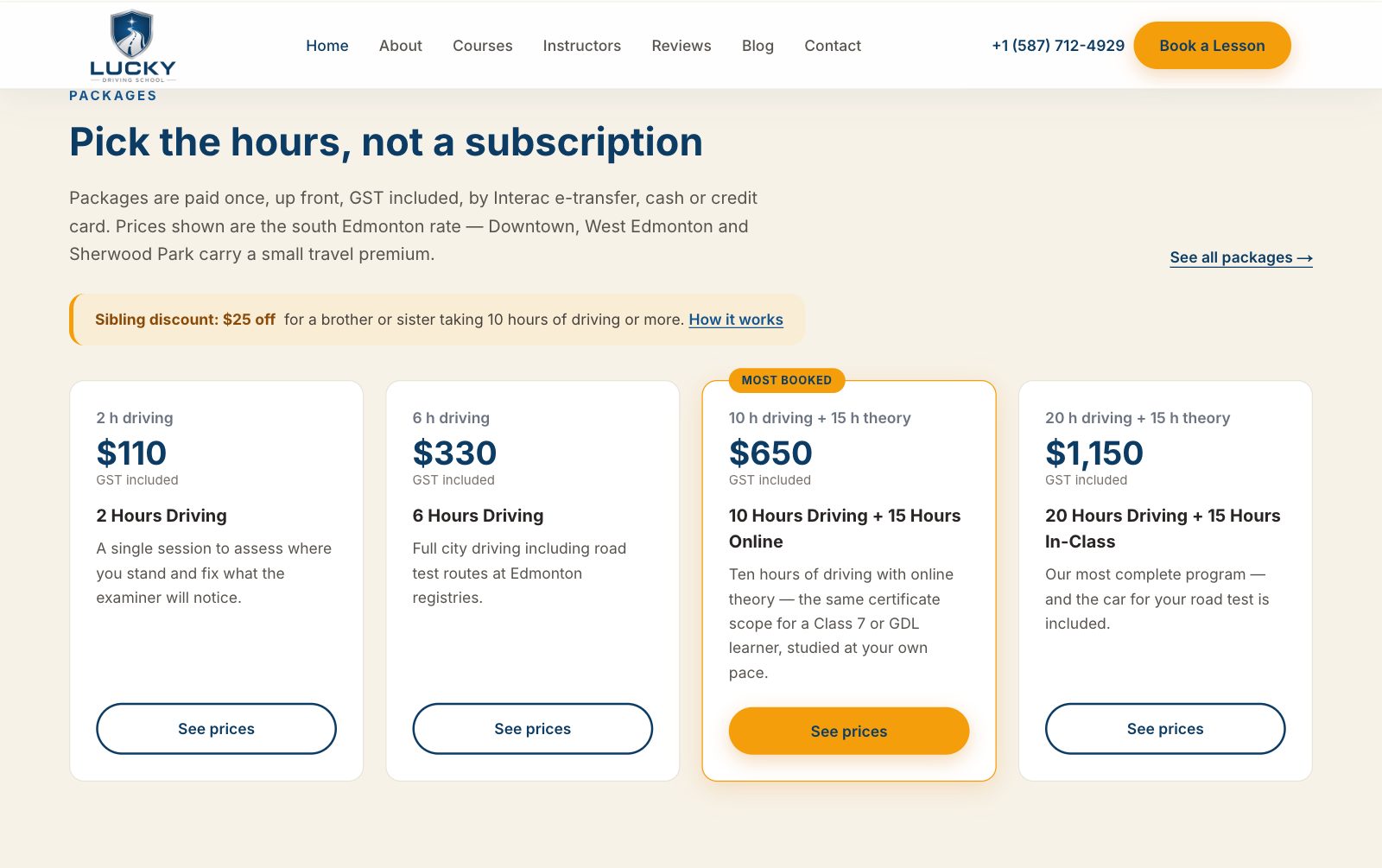
Here's what that looks like on the live site:
- All 14 lesson packages are priced online, GST included. Nobody has to call to find out.
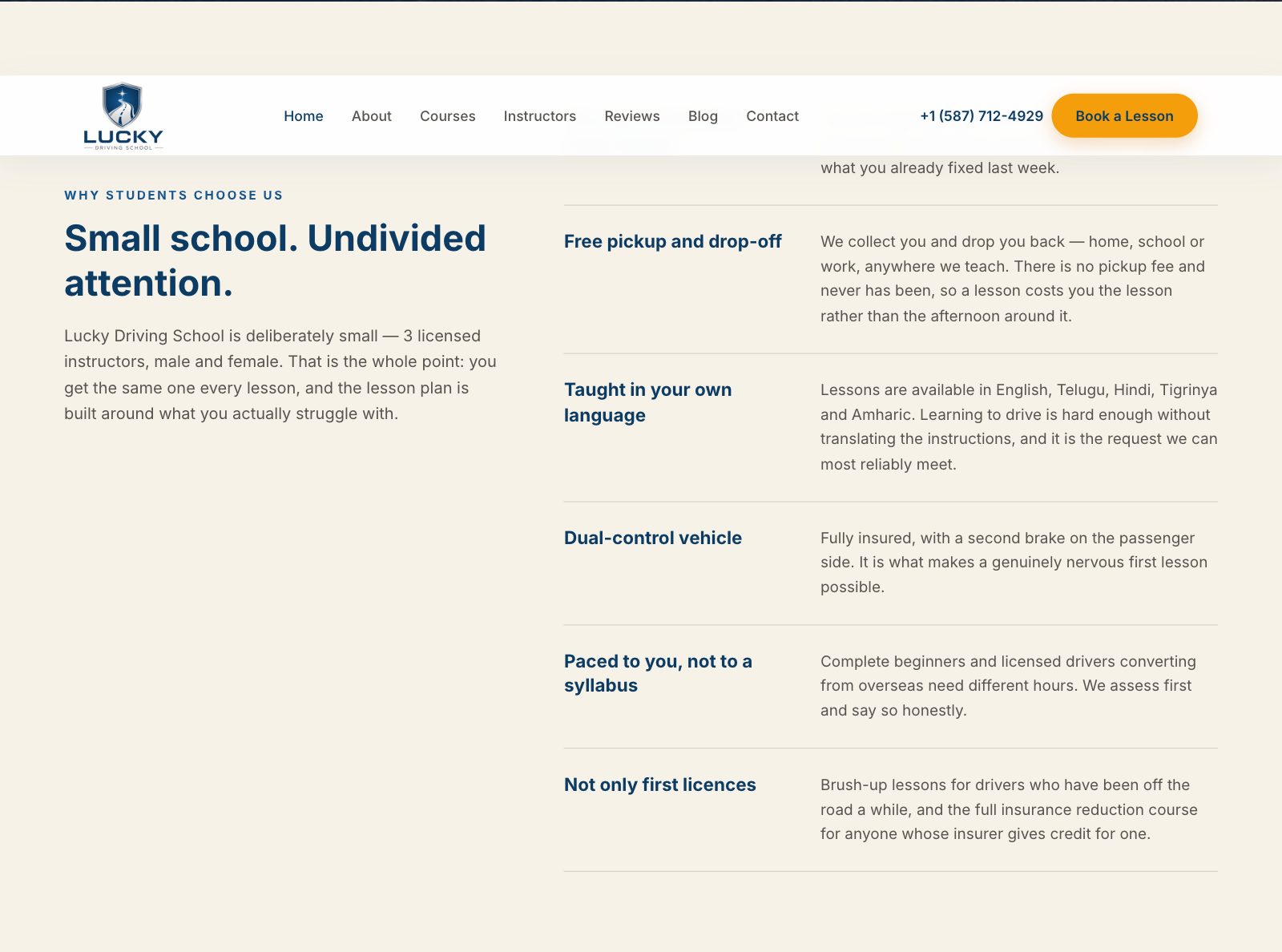
- Lessons are offered in English, Telugu, Hindi, Tigrinya and Amharic, and the home page says so in plain words.
- Free pickup and drop-off for every lesson is stated up front, not tucked into an FAQ.
- Lesson requests arrive by text, so the instructors can reply between lessons.
None of that is fancy. It's just the answers, put where people look first.
Why we push clients to show prices
Hiding prices feels safer. We get it. But it moves the work onto the student: call, wait, compare quotes from memory. Plenty of people won't bother.
When prices are on the page, the people who do get in touch already know what it costs, so they're closer to booking. It also tells them there won't be surprises, which matters a lot to a nervous new driver or a parent paying for lessons. And it means fewer "how much?" calls while you're sitting in the passenger seat.
If you have a lot of packages, keep them easy to scan. Group them (single lessons, road test prep, full courses), put the hours next to the price, and say whether tax is included. If your price changes by area, say that too. Lucky does this, with a small note explaining the travel premium for some areas.
Say your languages out loud
If you teach in more than one language, don't bury it on the About page. Put it near the top of the home page. And name the languages. "Multilingual instructors" doesn't help someone searching for lessons in Amharic. Seeing the word "Amharic" does.
The same goes for pickup and drop-off. For a lot of students, that's what tips the decision.
Booking has to work on a phone
Most of your visitors are on their phones, so the booking step needs to be short:
- A request form that asks for name, phone, the package and a rough time. That's enough to start.
- A call button that's always within reach.
- One line about what happens next, like "We'll text you to confirm a time."
Every extra field is another chance for someone to give up. You can ask about licence class once you're talking.
Answer the questions you get every week
You already know what people ask. What do I bring to the first lesson? Can I use your car for the road test? Do you do evenings? Which areas do you cover? Put those on the site. It saves you typing the same replies, and it gives Google more to understand about what you offer.
Show you're a real, licensed school
Parents and adult learners want to know they're in good hands. Mention your licensed instructors, how long you've been teaching and where you serve. If you show reviews or student photos, only use them with permission, and keep personal details off the site.
Also link the website from your Google Business Profile, and make sure your phone number, address and hours match on both. A lot of students find a school on the map first. When they tap through, the site should answer the next question straight away. Usually that's the price.
A quick checklist
- Every package and price, with tax stated
- Languages named near the top
- Pickup and drop-off explained
- A call button and a short request form
- An FAQ for the questions you answer every week
- Your service areas
- Linked from your Google Business Profile, with matching details
What a site like this costs
Lucky's site is a custom build. Most driving schools can start smaller:
- One-Page: $149 setup + $39/month
- Multi-Page: $299 setup + $59/month, with room for packages, languages and contact
- Store & Booking: $499 setup + $99/month, adding multilingual pages and simple online booking
Until November 30, 2026, Black Friday pricing takes up to 50% off setup (One-Page $99, Multi-Page $149). Monthly pricing stays the same, and you can cancel anytime. Hosting, SSL and a mobile-first design come with every plan.